

Not so long ago, calling was the fastest way to get an answer. If something was urgent, you picked up the phone. Texting existed, but it played a supporting role.
Today, work communication looks very different. Many everyday interactions happen through free text and call apps – tools that allow people to message and make calls over the internet rather than through traditional phone networks. A short message often replaces a call, letting conversations start instantly or continue asynchronously.
Texting works well for sharing details and keeping a written record. Calls, however, still matter when tone, context, or quick clarification is needed. The problem is not choosing one over the other – it’s the friction created by switching between multiple apps to do both.
As teams juggle more tools than ever, communication platforms that combine free messaging and calling in one place have become increasingly appealing. They reflect how people actually work today: writing when it’s convenient and calling when it’s necessary.
Why texting dominates work communication – and what it means for apps
Work communication didn’t shift overnight – it drifted. Somewhere between endless meetings and overflowing inboxes, texting quietly became the default way people talk at work.
In 2026, many professionals – especially Gen Z – would rather send a short message than make a call. Not because they dislike conversation, but because messaging fits better into how work actually happens now. It’s faster to start, easier to pause, and doesn’t demand everyone’s full attention at the same moment.
Research backs this up. Multiple workplace studies show that younger employees consistently prefer chat-based communication for everyday tasks, while phone calls are often seen as disruptive or unnecessarily intense. Older Millennials and Gen X tend to be more flexible, switching between texts and calls based on urgency, context, or how chaotic their notification list already looks.
Texting works because it:
- let people respond when they’re ready, not when the phone rings,
- creates a written record of decisions and agreements,
- keeps communication moving without breaking focus.
Calls, however, haven’t disappeared – they’ve just become more intentional. When tone matters, emotions creep in, or a conversation is going in circles, hearing a real voice still saves time. Sometimes you need more than a thumbs-up reaction to understand what’s really going on.
This is exactly why most free text and call apps are designed the way they are today. Messaging sits at the center, with calls available when they actually make sense. The goal isn’t to replace talking – it’s to reduce unnecessary interruptions and let people communicate on their own terms.
In other words, modern apps aren’t changing how teams behave. They’re catching up to it.
How to evaluate free text and call apps – features, security, and workflow fit
Picking a free text and call app can feel like opening a drawer of tangled charging cables – you hope for one that actually works without causing headaches. To cut through the noise, focus on features that match how your team communicates and how you actually work.
1. Messaging features that matter
- Group chats & channels: Teams with multiple projects benefit from channels or categories. Avoid apps that dump everything in one endless thread – chaos is not collaboration.
- Media & file sharing: Documents, images, PDFs, and links should be easy to share. Bonus: apps that allow drag-and-drop or cloud integration save extra clicks.
- Message history & search: If you can’t find a message or attachment from last week, it’s basically invisible. Look for apps with reliable, searchable archives.
- Reactions & status updates: Sometimes a thumbs-up is all that’s needed, keeping chat concise without extra calls.
2. Calling features that make a difference
- Audio & video quality: Look for clear sound, minimal lag, and stable video – especially for remote teams or client meetings.
- Group calls & screen sharing: Critical for brainstorming, troubleshooting, or presentations.
- Call limits in free plans: Some apps restrict call time or participant number. Know what’s included for free to avoid interruptions mid-discussion.
3. Security & privacy
- Encryption: End-to-end encryption is ideal for sensitive work communication.
- Data storage: Can you export messages? Are chats stored on your device or in the cloud?
- Access controls: Especially for teams, make sure admins can manage who sees what – nobody wants accidental leaks to the whole company.
4. Workflow fit – matching apps to how you work
- Small teams / casual projects: Lightweight apps with intuitive chat and basic calling are usually enough.
- Remote teams / hybrid work: Look for apps that support video calls, screen sharing, and synced notifications across devices.
- Client-facing / regulated work: Prioritize apps with robust encryption, audit trails, and compliance with privacy regulations.
- Fast-paced / multitasking teams: Apps that combine chat, calls, file sharing, and task management in one workspace save time and reduce app fatigue.
A free text and call app isn’t just about sending a message or making a call. It should reflect your team’s real communication habits, secure sensitive information, and support your workflow without forcing you to juggle multiple tools. The best apps let you switch seamlessly between chat and call, while keeping everything documented, organized, and safe.
Free text and call apps for work: What’s included, what’s limited, and which ones teams use
“Free” rarely means limitless. In work communication, it usually means good enough to start, safe enough to trust, and flexible enough to block your workflow six weeks in. The apps below earned their place not because they promise everything, but because teams genuinely rely on their free texting and calling features every day.
We’ll look at what users usually want to know before bringing an app to their team: Will it stay free? Is it hard to set up? Can I trust it with work conversations? And what’s the catch?
Chanty
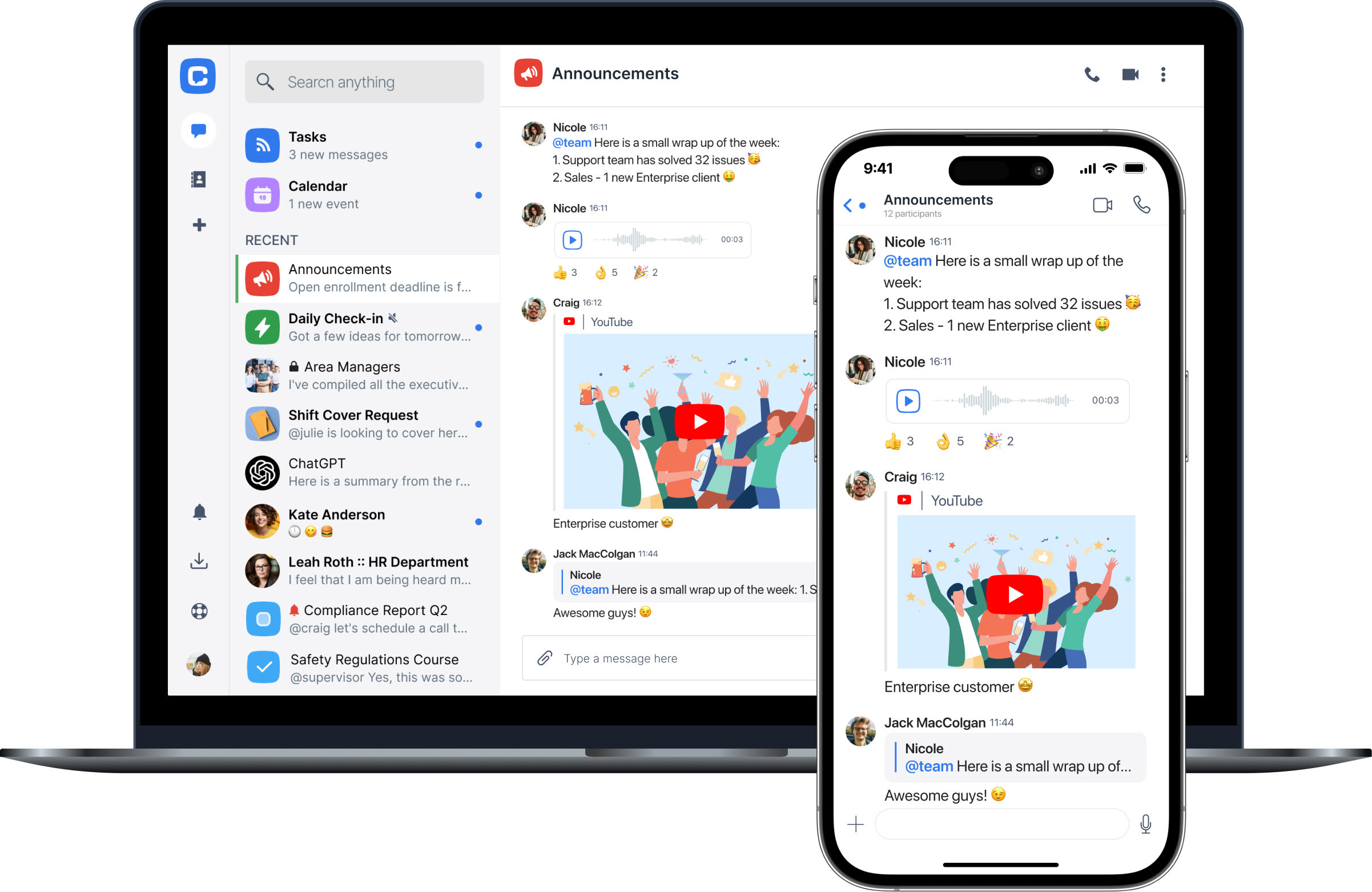
Chanty is a team communication app that combines free text messaging and calling in one workspace, with a strong focus on clarity and ease of use. Unlike many tools that treat calling as an add-on, Chanty integrates messaging, voice, and video into a single, consistent experience.
On the free plan, users get unlimited instant messaging, one-on-one audio and video calls, voice messages, a calendar, and a built-in task manager. Teams can create multiple chats and channels for different topics or projects. Calls support screen sharing and include in-call chat, which allows participants to share links or notes during a conversation.
Chanty is structured for small to medium teams, with group communication kept clear rather than fragmented. Setup is fast, and most teams can start using it productively without configuration or training.
Free plan limitations:
Group video calls and advanced administrative controls are reserved for paid plans. The free version supports smaller teams and everyday communication without message limits.
Best suited for:
Chanty feels intentionally built for teams that want less friction, fewer tools, and clearer communication – especially as work scales.
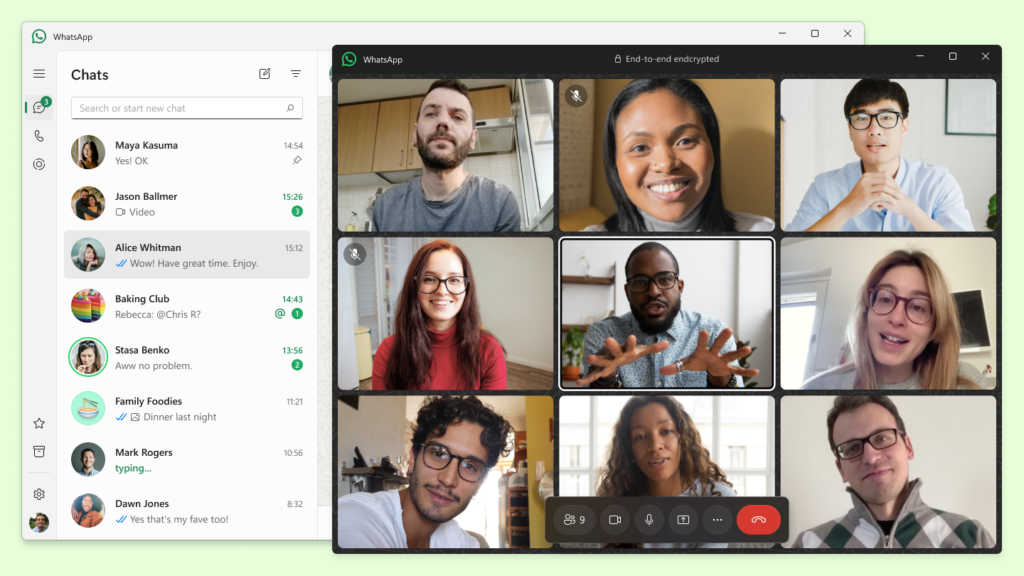
WhatsApp is one of the most widely used free text and call apps, largely because most users already have it installed and know how it works. Messaging is simple, fast, and reliable.
On the free plan, users can send unlimited messages, create group chats, and make audio and video calls, including small group calls. Screen sharing is supported during video calls, and in-call chat is available. Group chats can include a large number of participants, but conversations remain linear and unstructured.
WhatsApp uses end-to-end encryption by default, but it is tied to personal phone numbers and devices, which often creates friction in work settings.
Free plan limitations:
No separation between personal and work chats, limited admin control, and no channels or task features.
Best suited for:
Freelancers, small teams, or short-term projects where speed matters more than structure.
Slack
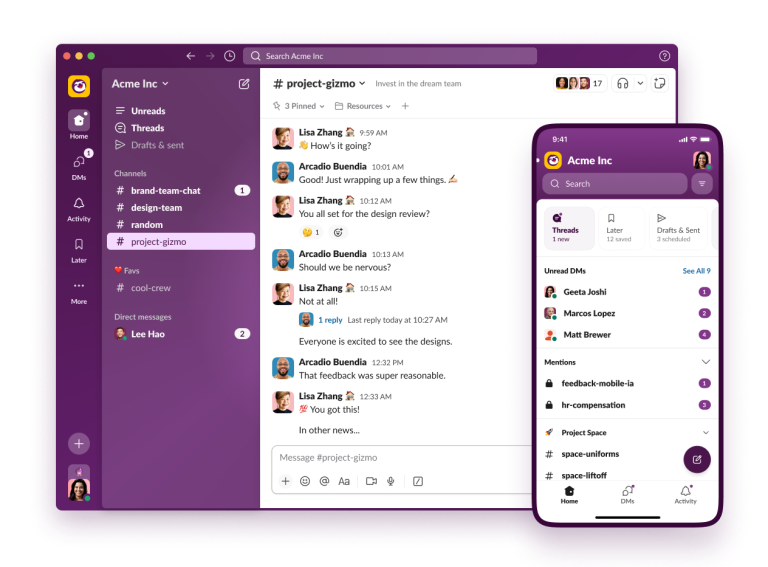
Slack is a messaging-first collaboration tool built around channels, direct messages, and searchable conversation history. It is widely used in professional environments.
On the free plan, teams can create unlimited channels and direct chats and send messages freely, but message history is limited (older messages become inaccessible). Voice and video are limited to one-on-one calls, while group calls and screen sharing are restricted or capped.
Slack supports in-call chat and screen sharing in paid plans, but these features are constrained on the free tier, which many teams notice as activity increases.
Free plan limitations:
Limited message history, restricted calling features, and growing friction as teams scale.
Best suited for:
Teams that plan to upgrade or rely heavily on integrations from day one.
Microsoft Teams
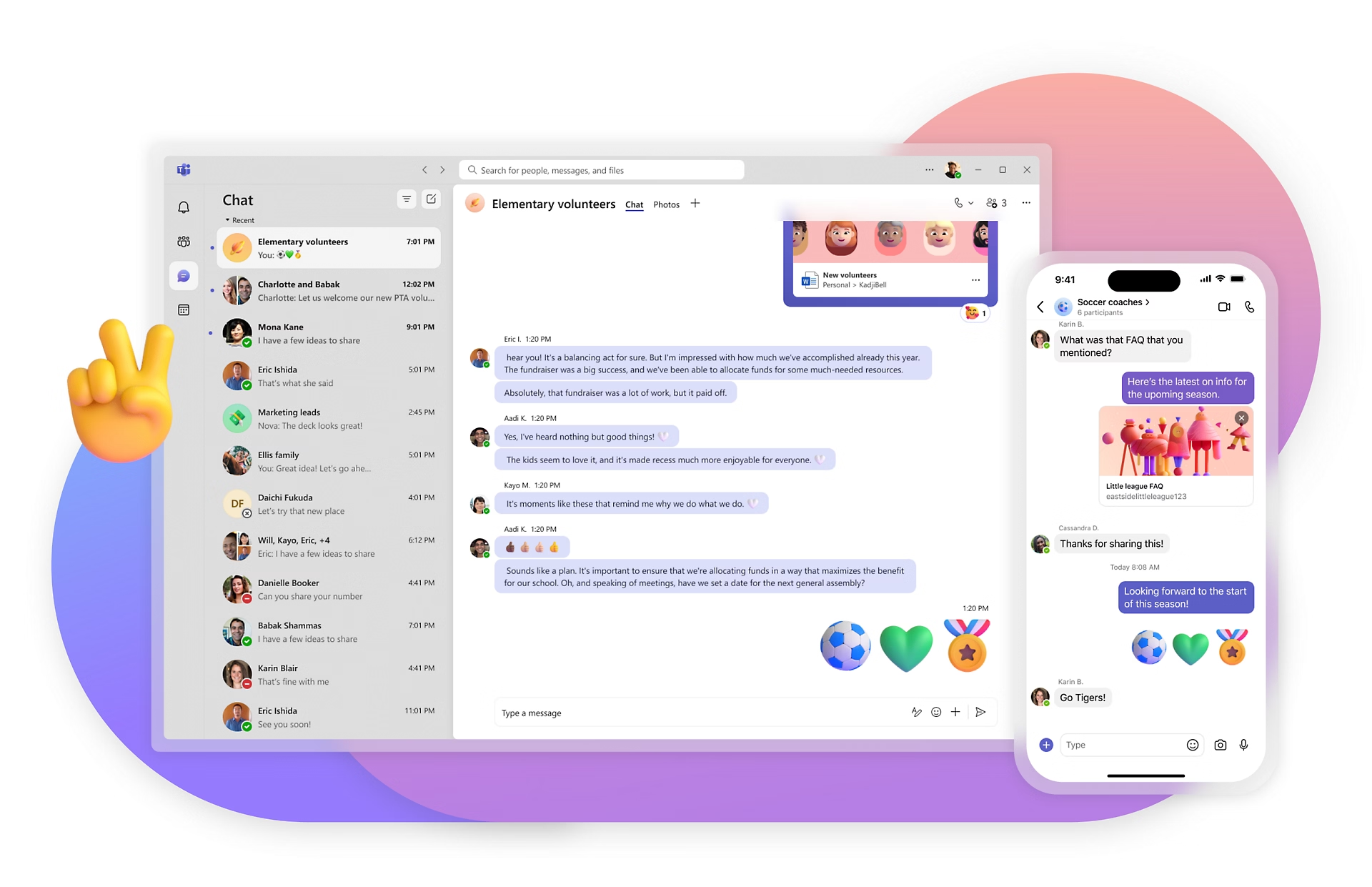
Microsoft Teams combines chat, calls, and meetings into one platform, tightly integrated with Microsoft 365. It is designed with enterprise use and compliance in mind.
On the free plan, teams can create group chats and channels, send messages, and host audio and video meetings with a participant limit and time restrictions. Screen sharing and in-meeting chat are supported, making meetings functional for real collaboration.
While capable, Teams can feel complex for smaller teams, especially those not already using Microsoft tools.
Free plan limitations:
Meeting duration limits, participant caps, and a heavier interface for simple workflows.
Best suited for:
Organizations already embedded in the Microsoft ecosystem.
Google Chat
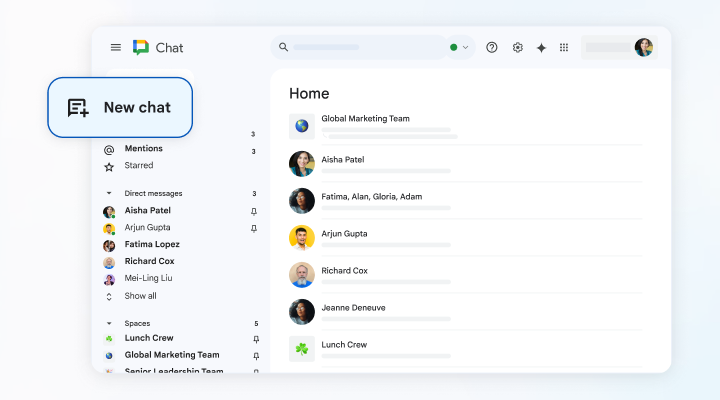
Google Chat and Google Meet offer free messaging and calling through a Google account, with minimal setup required.
Teams can create direct messages and group chats, and run audio or video meetings with participant limits and time caps. Screen sharing and in-meeting chat are available, making Meet suitable for basic collaboration.
The experience is intentionally simple, but lacks deeper organization features like structured channels or task tracking.
Free plan limitations:
Limited workflow tools and lightweight chat organization.
Best suited for:
Remote teams and companies already using Google Workspace.
Zoom
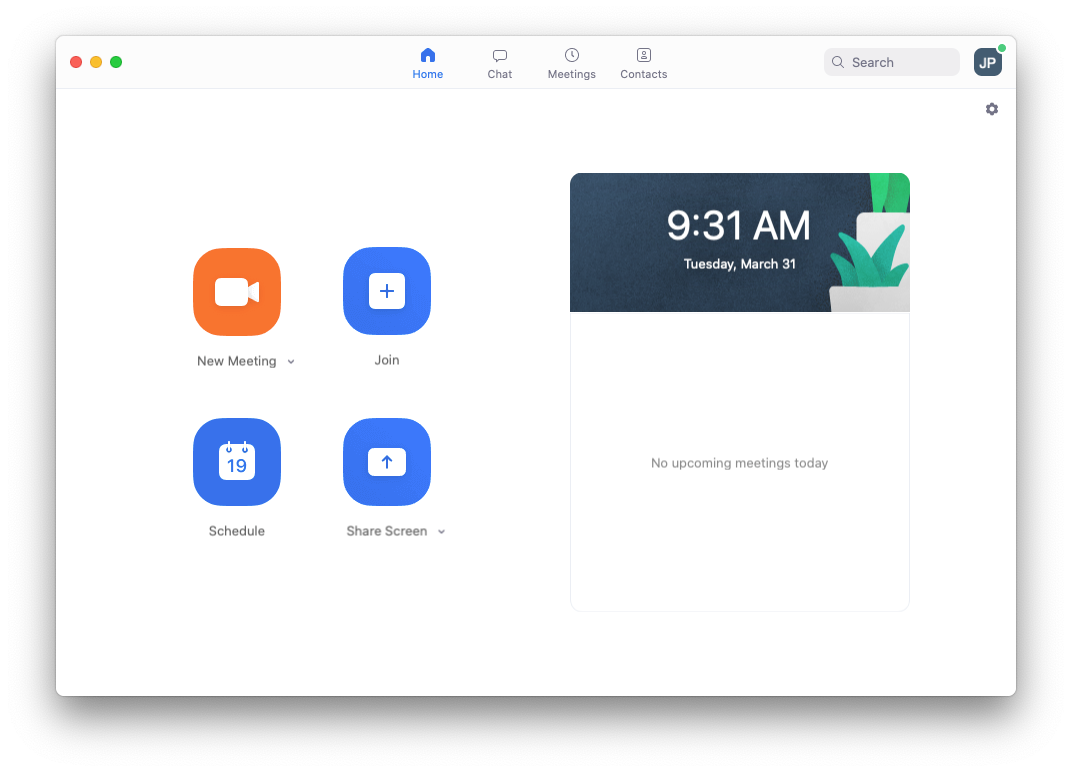
Zoom is primarily a video conferencing tool, with messaging playing a secondary role.
On the free plan, users can host one-on-one meetings without time limits and group meetings with time restrictions. Screen sharing and in-meeting chat are fully supported, making Zoom effective for discussions and presentations. Persistent team messaging exists but is not designed for daily chat workflows.
Teams often pair Zoom with another app for text communication.
Free plan limitations:
Group meeting time limits and limited long-term messaging value.
Best suited for:
Meeting-heavy workflows and external communication.
Discord
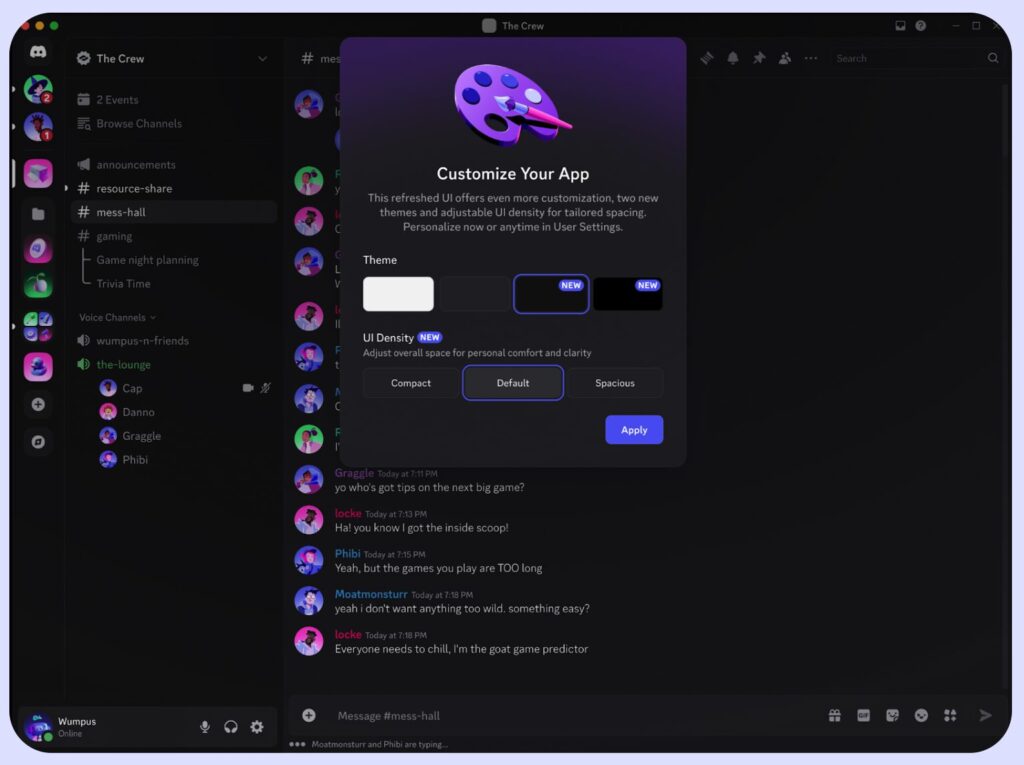
Discord offers text channels, voice rooms, and group calls in a persistent, real-time environment. Communication is continuous rather than scheduled.
On the free plan, teams can create multiple channels, host voice calls, share screens, and use in-call chat. Participant limits are generally generous, and usage is rarely restricted for small or medium groups.
However, Discord’s informal culture and lighter administrative controls may not meet professional or compliance expectations.
Free plan limitations:
Not designed specifically for business governance or regulated environments.
Best suited for:
Creative teams, startups, and communities.
Free text and call apps: What free plan actually include
To make comparison easier, here’s a quick overview of what “free” actually includes across popular text and call apps.
| App | Messaging Structure | Calls (Free) | Meetings & Sharing | Key Free Limits |
| Chanty | Unlimited 1:1 & group chats, channels | 1:1 audio & video | Screen sharing, in-call chat | No group video calls on free plan |
| Unlimited messages, large group chats | Audio & video calls | Screen sharing, in-call chat | No channels, personal numbers only | |
| Slack | Channels & DMs, limited history | 1:1 calls only | Limited screen sharing | Message history capped, no group calls |
| Microsoft Teams | Chats & channels | Audio & video meetings | Screen sharing, in-meeting chat | Time & participant limits |
| Google Chat + Meet | 1:1 & group chats | Audio & video meetings | Screen sharing, in-meeting chat | Limited structure, time caps |
| Zoom | Basic team chat | Audio & video meetings | Screen sharing, in-meeting chat | Group meetings time-limited |
| Discord | Unlimited channels & chats | Voice & video calls | Screen sharing, live chat | Informal, limited business controls |
Free plan features and limits may change over time; this comparison reflects typical usage at the time of writing.
So, which free text and call app should you choose?
Free text and call apps rarely fail because they lack features. They fail because they don’t fit how a team actually communicates.
Some teams live in quick messages and need calls only when something breaks. Others jump into voice discussions daily and rely on screen sharing to move work forward. The best “free” app is not the one with the longest feature list, but the one that supports your real workflow without pushing you into paid plans too early.
If your priority is simple setup, clear team communication, and fewer tools, platforms like Chanty focus on keeping messaging and calling equally usable from day one. Tools like Slack or Microsoft Teams offer depth, but often introduce limits that surface quickly as teams grow. Apps like WhatsApp or Discord feel frictionless at first, yet struggle to separate work from personal space or meet professional governance needs.
The takeaway is straightforward: A good free text and call app should let your team message freely, call when needed, and understand exactly where “free” ends – without surprises.
Choose the app that matches how you already work, not the one that asks you to change.